

The clock starts when you scroll into the session.
You get 15 minutes.Then you decide.
Get matched on shared interests and talk for 15 minutes, both of you anonymous. If you both say yes, profiles open. If either of you says no, you stay anonymous and nobody learns who said what.
Starts anonymous. Real only if you say so.
On iOS and Android · in 7 languages
Keep scrolling — this is one session, start to finish.

What 15 minutes looks like
One session, start to finish, the way it runs in the app.
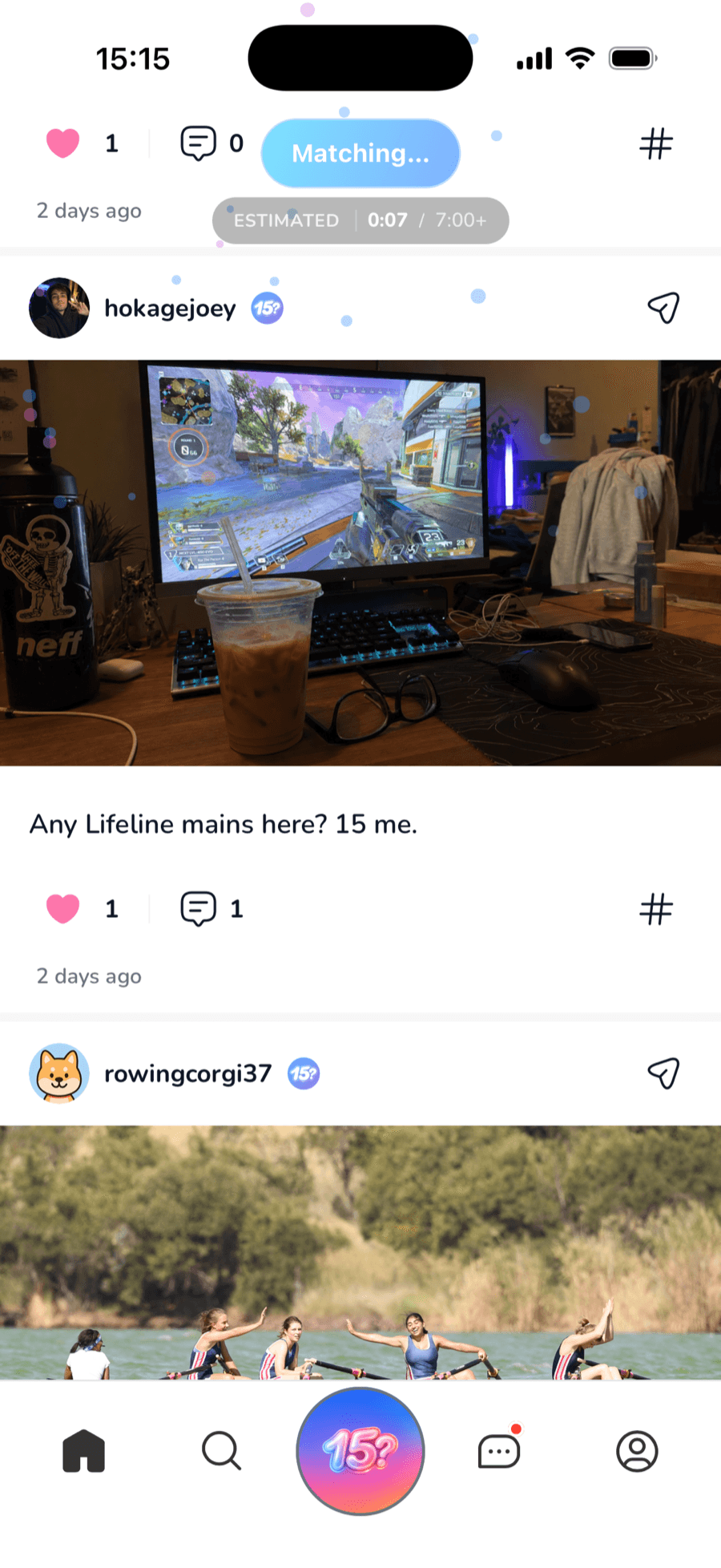
Join the queue, get on with your day
We look for someone by your interests and, if you allow it, by how close you are. You see an estimated wait and can cancel anytime. On iOS the search stays live on your Lock Screen and in the Dynamic Island, so you don't have to sit and watch it.
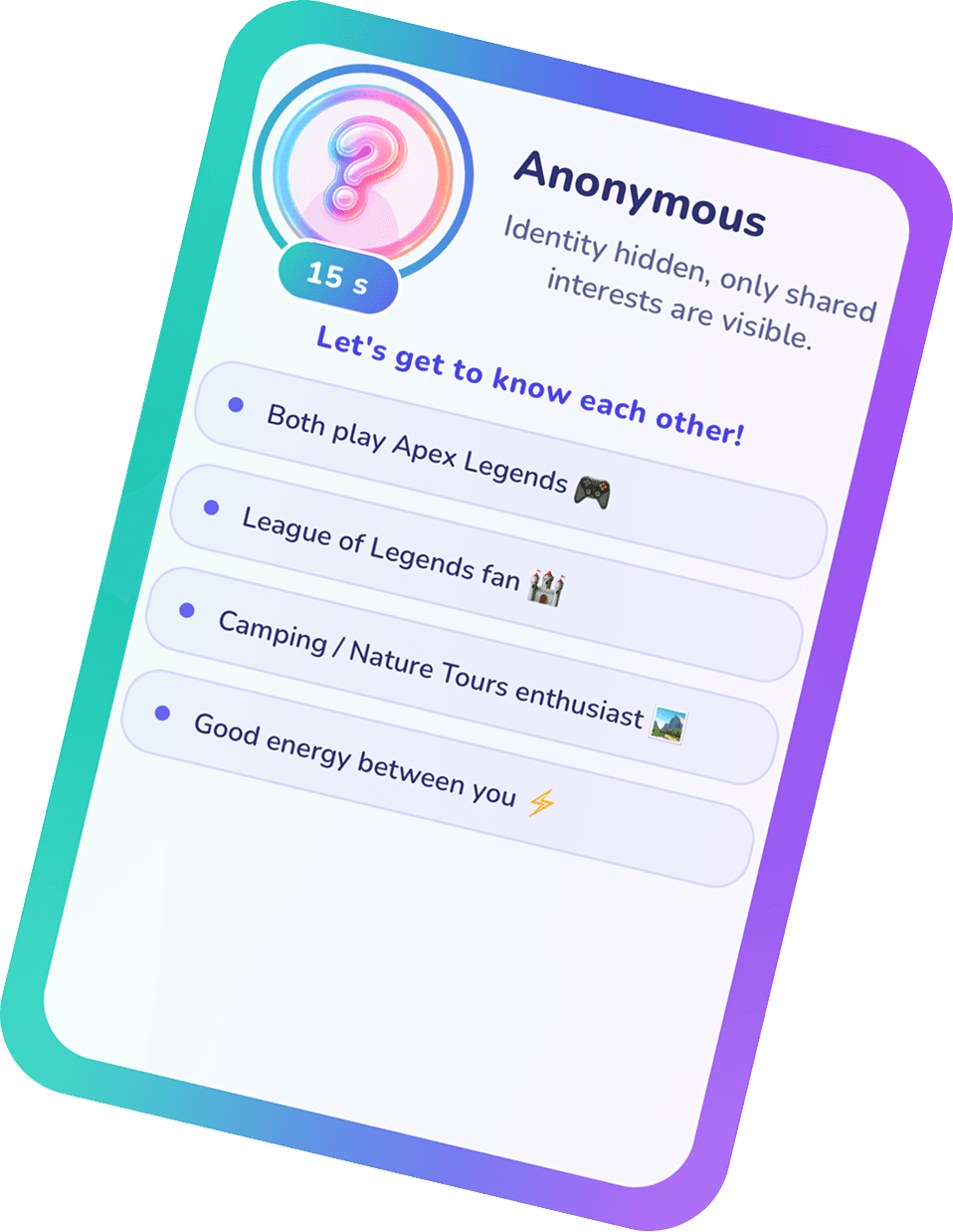
No name. Common ground.
The other person is a Hidden Match: no photo, no name, no age. What you see is the interests you share, which is why you were matched. The clock starts at 15:00.
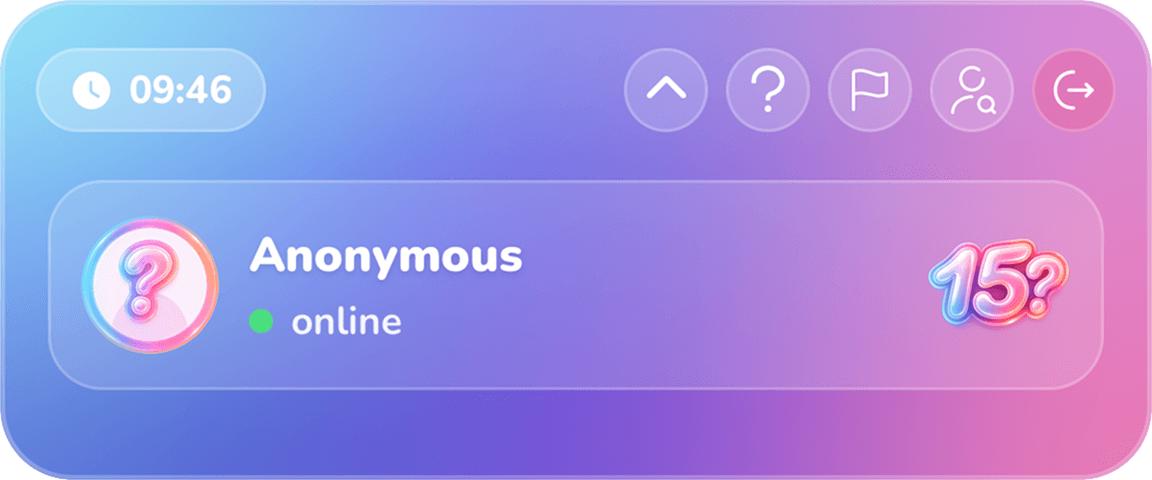
The chat opens with the same countdown: an anonymous match, and the 15 mark.
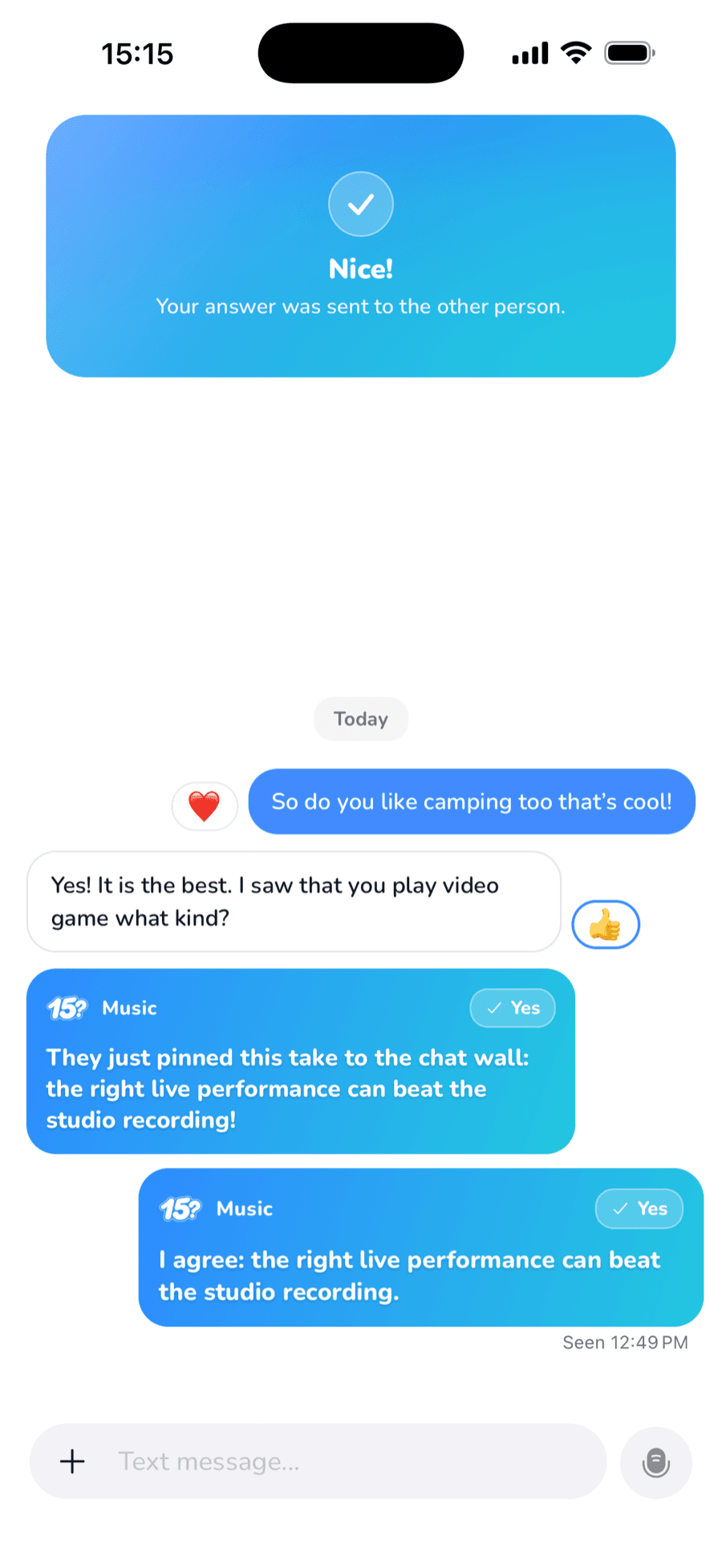
Do you agree with this take: the right live performance can beat the studio recording?
Go on, answer it.
A question drops in
Small timed questions appear above the chat. Your answer is delivered to the other person, and you each find out what the other thought at the same moment.
No and Yes are real buttons. Press one and the card turns into what the app shows next.
A fully equipped chat
Text, photos, video, voice notes, reactions, replies, unsend. View-once photos are screenshot-protected. Spotify, YouTube and Apple Music links open as cards in the chat. You're both still anonymous.

15 Minutes
Anonymous chat in progress
The countdown, live in the Dynamic Island
Your 15 minutes keep running with the app closed
One Live Activity: an icon, a line, a second line, and the time left. The same countdown turns up in the Dynamic Island, so you can put the phone down and still know how long you have.
That's the whole widget. Anything with a button on it happens inside the app.
The Lock Screen countdown needs iOS 16.1 or newer. On Android, and on iOS while the app is closed, you get a notification when a match is found and when the session starts.
Only if you both want it
As the timer runs out you each decide, and you can defer if you're not ready. If you both say yes, profiles open, the chat continues and you become each other's connections. If either says no, anonymity holds and nobody sees who decided what.
How the question is chosen
The pool
Your common ground
Yours
Tap yours on and off.
Theirs
- Music
- Cinema
- Coffee
- Hiking
- Running
- Cooking
- Astronomy
Both of you
What arrives
Do you agree with this take: the right live performance can beat the studio recording?
Music is on both lists, so this is the question.
It picks the person first
The app looks through the interests on both profiles. When it can go further, its AI makes the pairing by how well the two of you would get on. The reason is on the match card before either of you types a word.
The questions are its own
The AI wrote the pool of questions ahead of time. Which one reaches you depends on the interests you share, so it lands on something you both already have an opinion about.
Same question, both of you
One question drops into the middle of the chat. You both see it at the same moment, and you each answer privately.

The answers meet
Your answer goes to the other person and theirs comes to you. Now there's something to talk about.
Nice!
Your answer was sent to the other person.
Time's up. Yes or no?
In the app you each answer this on your own. Here you play both sides.
Nobody has answered. The card stays shut.
 AnonymousProfile closed
Go on, try to turn it over
You don't have to answer to get the app.
What the chat shows at 00:00
Two yeses
Profiles open and the chat carries on.
A no, from either side
Nothing opens, and it looks the same whoever said it.
After the timer
A story you can share without exposing anyone
Every match ends with a card made for your story. It carries no names and no faces, only the mark and a question. There's a version with your photo if you want one. Nothing gets shared on your behalf.
Drag the card to turn it, or tapTap the card to turn it over
The share card's closed side, showing the 15 mark
Safety & privacy
You're in control, setting by setting
Every item below is a switch that exists in the app today.
Identity opens only by mutual consent.
No profile is revealed unless you both agree.
Who can message, tag or mention you
Each one set separately: Everyone / Followers / Connections / No one.
Private account.
Only followers you approve see your posts.
Find me by username only.
Your real name won't match in search.
Profile photo and follow lists.
You choose who can see them.
Online status is optional.
Turn it off and last-seen goes with it.
View-once photos are screenshot-protected
They open once and can't be opened again.
Blocking cuts both ways.
Every interaction between you ends.
Reporting with 12 reasons.
Your report stays private and you're told what happened.
Download your data.
Request a copy of what's in your account.
Deactivate or delete.
Deleting hides your account immediately and you have ~28 days to change your mind.
18+ only.
You need to be at least 18 to use 15 Minutes.
There's a Help Center inside the app: pick a topic, describe it, and the reply lands in the same thread.
Things you'd only notice if they were missing
- Live match timer on the Lock Screen and Dynamic Island
- Your upload survives even if the app gets killed
- Upload progress counted in bytes, no fake progress bar
- Videos are trimmed on your device, before anything is uploaded
- Hold to record, slide to cancel, lock to keep talking
- Light / Dark / Auto theme
- 12-hour and 24-hour time
- If your connection drops, the app tells you and picks up where it left off
- In-app notifications arrive as a tappable banner you can swipe away
- Your drafts are saved automatically
- An estimated wait time while you're in the queue
- Audio and video stop when the app goes to the background
Questions
Before you download
What happens when the 15 minutes are up?
If you both say yes, profiles open and the chat continues. If either of you says no, the chat moves to Past Sessions and you both stay anonymous.
Do I find out who said no?
No. Individual decisions are never revealed.
Can we reveal before the timer ends?
Yes, with one early-reveal request per chat. If the other person accepts, profiles open right away.
Do I have to share my location?
No. Location is optional and is used to find matches near you. Without it you still get matched, only less locally. You can change it anytime in Settings.
Are the photos I send while anonymous safe?
Photos you send as view-once open once and are screenshot-protected.
Is there an age limit?
Yes. You must be at least 18 to use the app.
Which languages are supported?
Turkish, English, Spanish, German, French, Russian and Japanese.
If I delete my account, can I come back?
Your account is hidden immediately and for about 28 days you can sign back in and cancel the deletion. After that the data is permanently deleted. If you don't want that, you can deactivate instead.
Why 15 minutes?
Long enough to get somewhere, short enough that neither of you drifts. The clock keeps you both in the conversation.
Your next 15 minutes are waiting.
Free to download on iOS and Android
Beyond the match
There's a place for you after the 15 minutes, too
Around the sessions, 15 Minutes is a full social app: a feed, posts, profiles and the people you keep.
A feed that tells you why
For You and Following. Every post says why it reached you.
Trending, Because you follow them, Matches your interests, and Near you.
Share what you want, how you want
Text, up to 10 photos or videos, a voice note, a music card, up to 5 interest tags, people tagging and @mentions. Drafts save themselves.
Chats, past sessions, requests
The conversations you kept on one tab, the sessions that ended on the next, and the people asking to talk on the third.
Requests are yours to answer
Accept, mute or block. A conversation someone asks for waits until you choose.
Interest feeds
Tap an interest to see everything on it, sorted by Trending or Latest.
Connections
A third list next to followers and following: the people you said yes to, and who said yes to you.
40+ chat themes
Pick a bubble. The whole conversation follows.
Did you notice the timer stopped mattering?
I did. Ten minutes ago.
Then what were we counting?
No idea. Keep talking.
Default
Seven languages
The app speaks all of these, natively.